Integration
kui_ext_editor provides an independent code-editor element. Deploy the extension and dependencies before setting dimensions, text, language, theme and focus. Follow the selected SDK package requirements when building and deploying the extension and its host.
Constraints and troubleshooting
The SDK documentation covers selections, multiple cursors, search/replace, highlighting, LSP, Git markers, snippets and ghost text. Check registered methods and arguments for the features you need. The host supplies language-service, Git and suggestion data; the component is not a preconfigured IDE.
Code editing and syntax trees
The SDK editor example displays TypeScript text, syntax highlighting and a tree-sitter syntax tree. Editor text languages and the KUI host’s scripting runtime are configured separately.
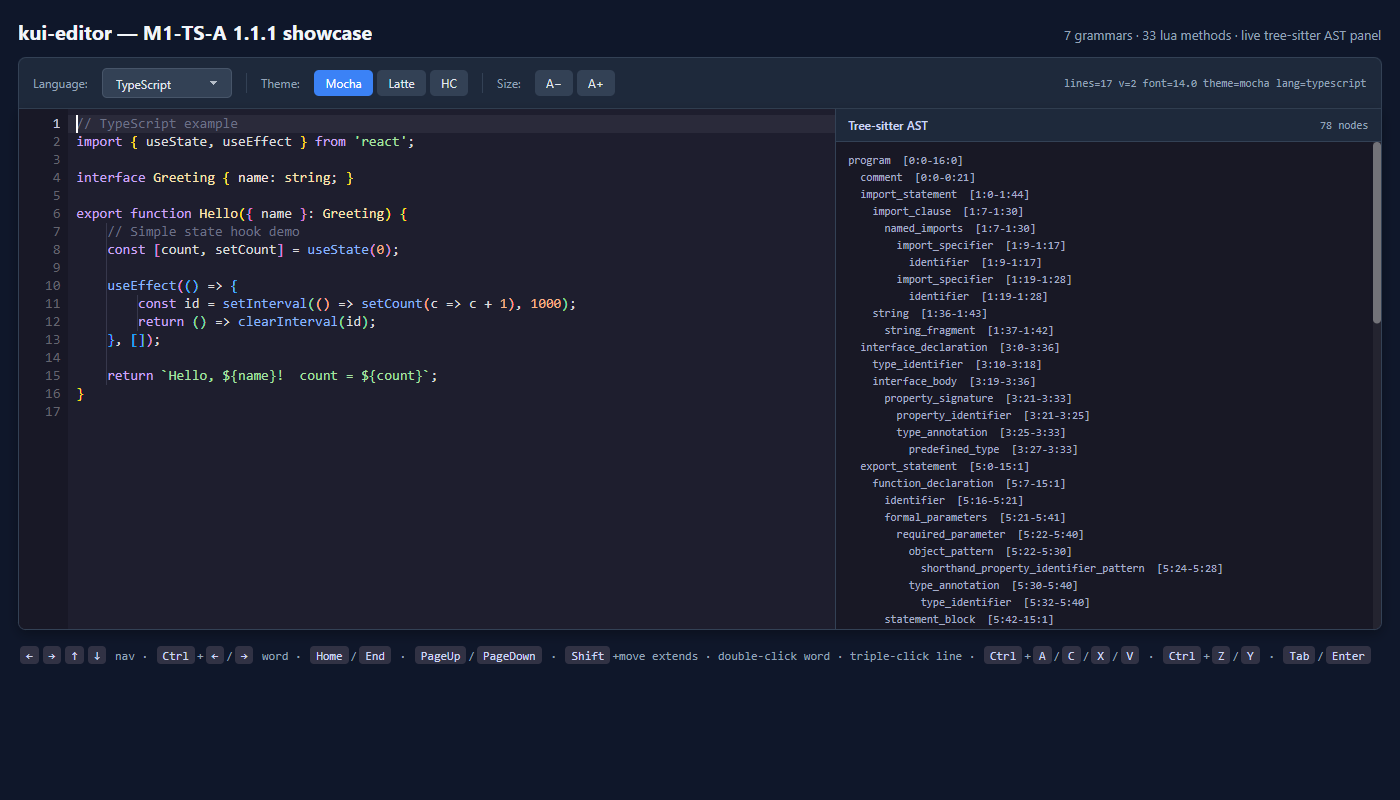
Declare and configure the editor
After loading kui_ext_editor, create a kui-editor element with explicit dimensions. language and theme configure its language and theme; value supplies initial text. data-language and data-theme have corresponding handlers.
<kui-editor language="cpp" theme="mocha"
  style="width:100%;height:480px"
  value="int main() { return 0; }"></kui-editor>
Editing and tooling
The current method registry includes caret and selection, multiple cursors, undo/redo, search/replace, folding and gutter decorations. Completion, LSP, Git and suggestion text need application-provided data or services; the element does not automatically connect to business systems.
Syntax and deployment
Highlighting depends on the extension build, language registration and grammar dependencies. Test real files for highlighting, IME, selection, scrolling and fonts after deployment. Historical method counts in SDK prose are not used as current capability counts; consult the registry.
Connect the editor to application state
Verify a minimal scenario in this order before integrating the full application.
- Run the packaged editor example to check extension and resources.
- Test initial text, edited-value reads, unsaved state and explicit saving.
- Let the host manage encoding, line endings and paths; editor content is not automatically persisted.
- Exercise short files, long lines, IME input and diagnostics in your actual scenario.
Something unclear?
Report an issue on this page →