The running application
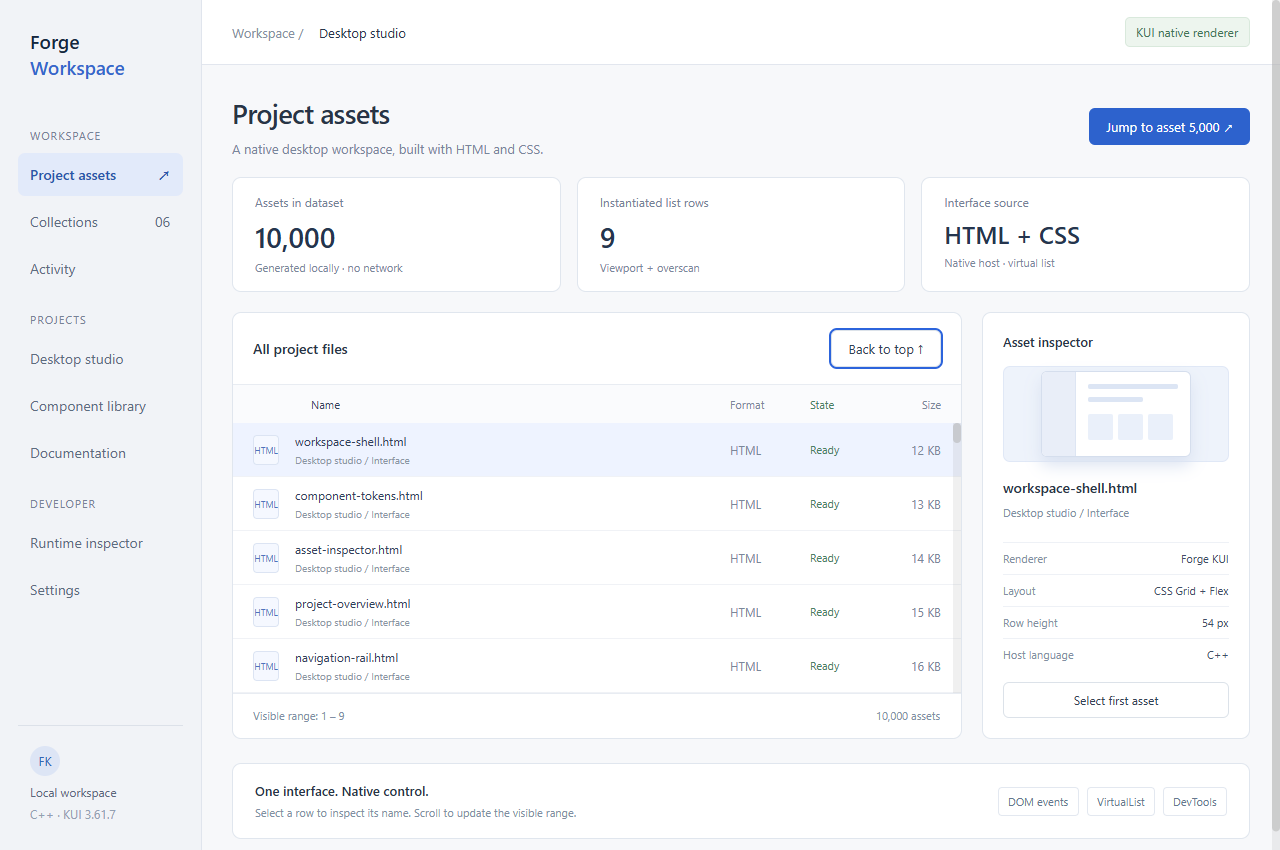
The workspace includes project navigation, an asset list and an inspector. Data is generated locally without disk access. Select rows to inspect names, jump into the list and return to the top. The sidebar illustrates layout; it is not a file manager.
Build and run
Requires the Windows x64 SDK, CMake and MSVC. Extract the project and run these commands in its root, with your own Kui_DIR.
$cxxStandard = Read-Host SDK-standard
cmake -S . -B build -A x64 "-DCMAKE_CXX_STANDARD=$cxxStandard" -DKui_DIR=G:/path/to/kui-sdk/cmake
cmake --build build --config Release --parallel 4
./build/Release/forge_workbench.exeHow the list works
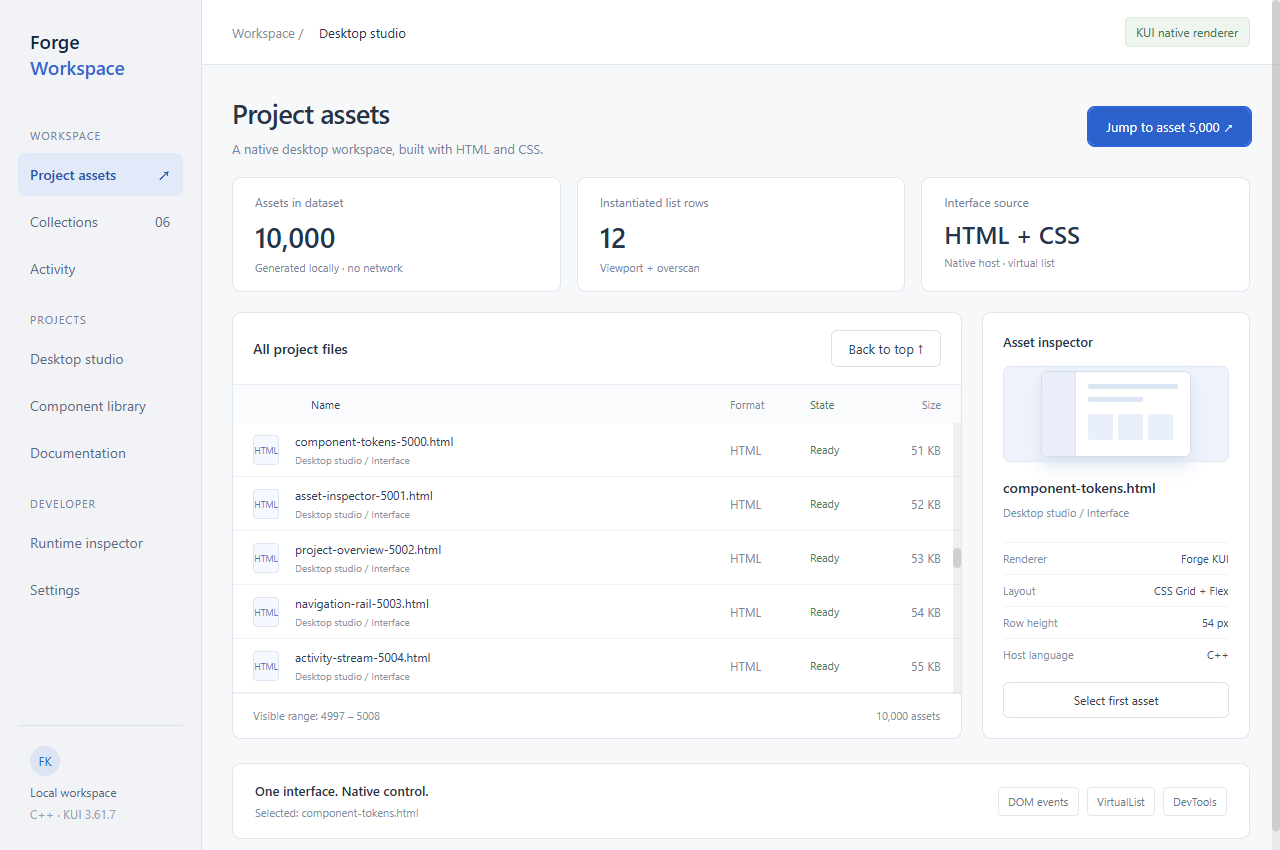
The example uses 10,000 rows, a 54 px row height and 3 overscan rows. VirtualList maintains UI for the current range. This dataset is a demo configuration, not a performance ceiling. The app displays its current instantiated row count.
kui::VirtualList list;
kui::VirtualListConfig rows;
rows.totalItems = 10000;
rows.itemHeight = 54;
rows.overscan = 3;
rows.renderItem = renderAsset;

list.setup(container, rows);
list.scrollToIndex(4999);
Modify the project
workbench.html defines layout and styles. main.cpp supplies the row factory, data and events. Reconfigure and rebuild after editing the HTML. DevTools is enabled for local demonstration; disable it for distribution according to the security guide.
Something unclear?
Report an issue on this page →